

Upgrade plan
You can upgrade from the Free plan to a paid plan to access premium features.
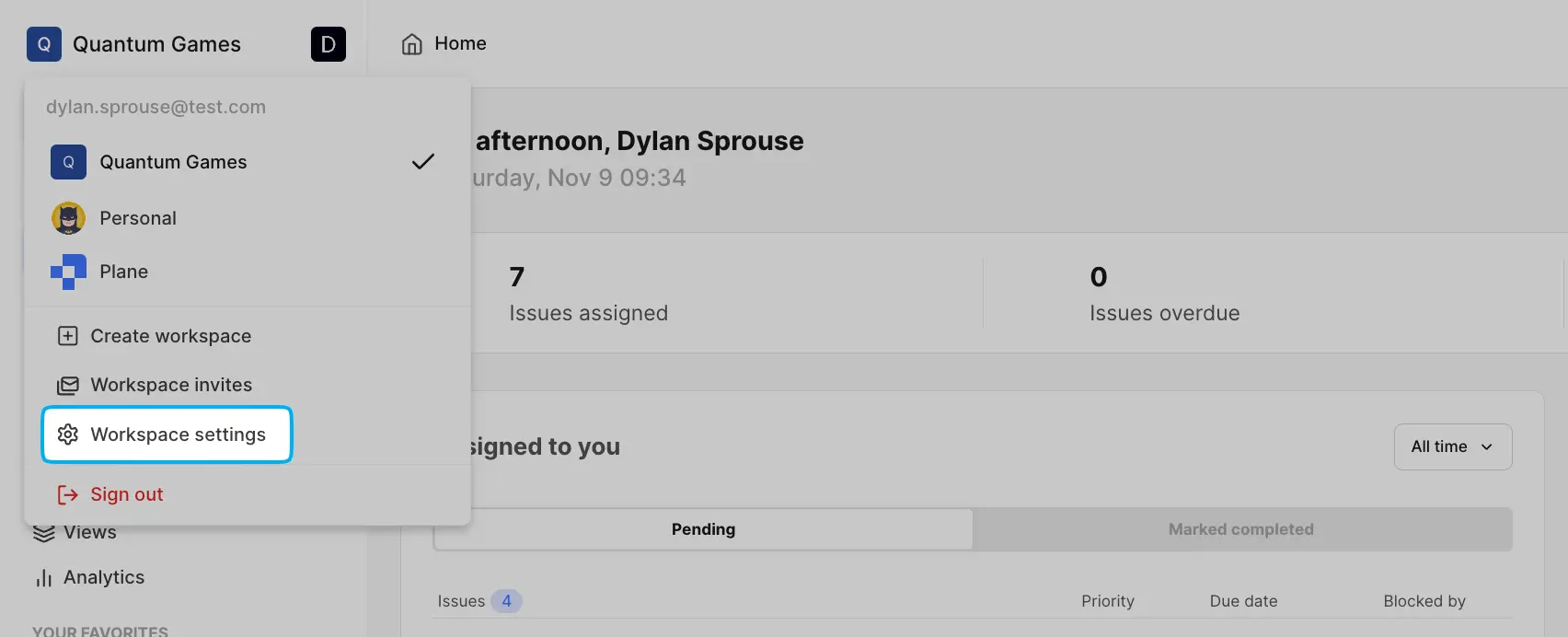
Click your workspace name on the sidebar and select Settings.
Navigate to the Billing and plans tab.
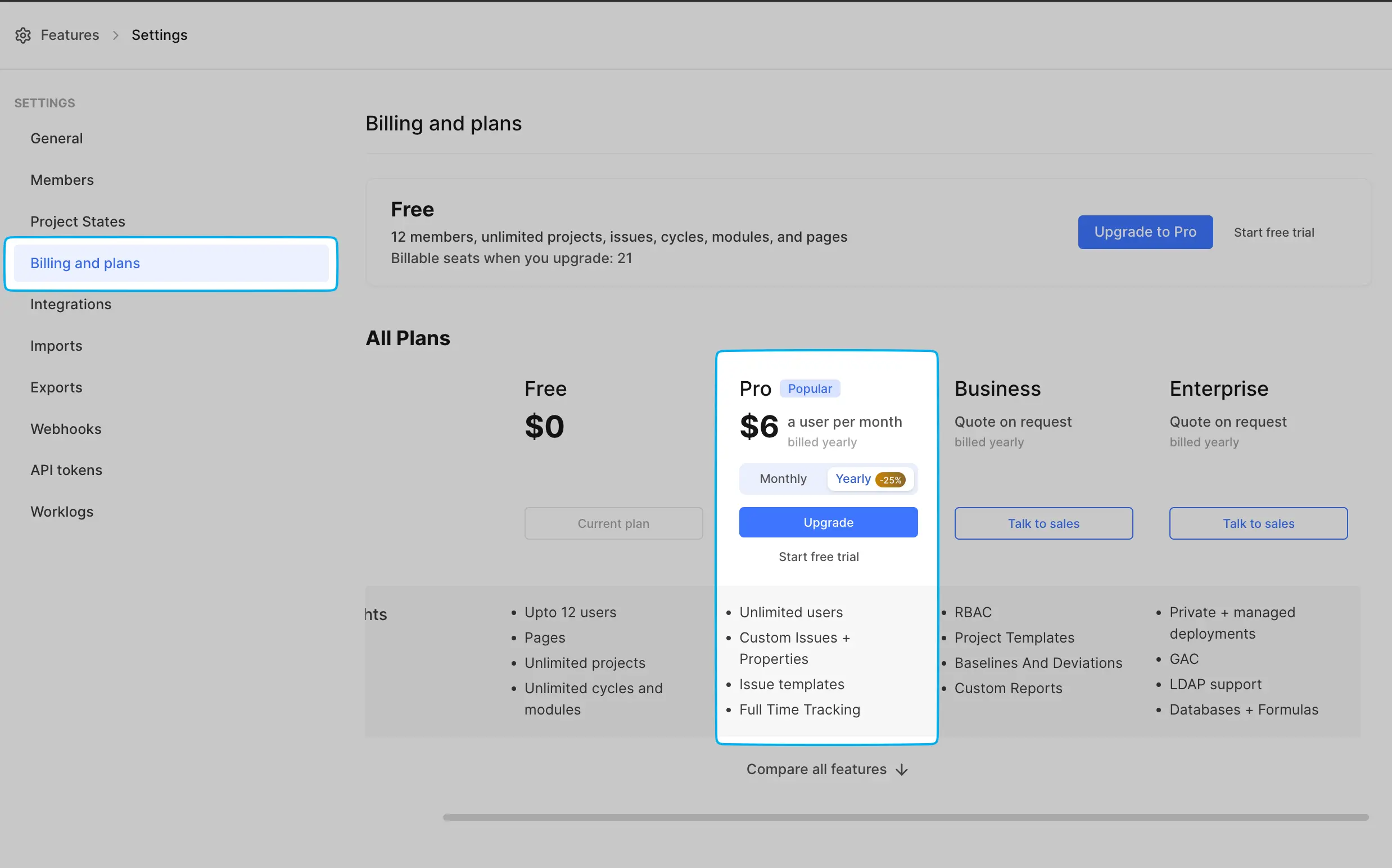
Select the Monthly or Yearly tab to choose your billing cycle.
Click the Upgrade button.
This will redirect you to the Stripe payment page. Enter your payment info and click Subscribe.
If your transaction goes through, you will see a confirmation that your plan is now active.
If you're self-hosting Plane, see Activate license for instructions on activating your workspace with the license key.