

Wiki Pro
Wiki is where your organization's shared knowledge lives — company policies, onboarding materials, technical guides, architecture decisions, and anything else that matters beyond a single project.
Unlike project pages, which focus on work happening inside a specific project, Wiki pages belong to the workspace and are accessible to every workspace member. This makes Wiki the right place for documentation that crosses team boundaries.
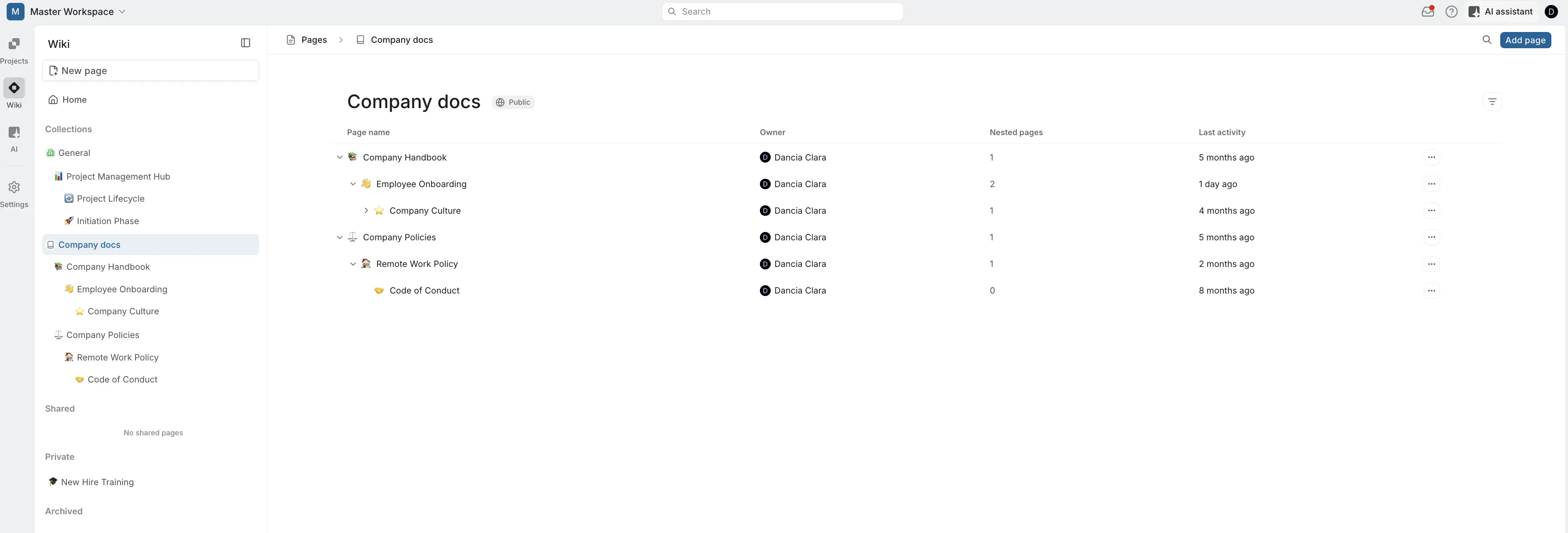
Wiki Home
Home is the landing page you see when you open Wiki. It gives you a personalized overview of your Wiki activity so you can pick up where you left off or quickly capture an idea.
Recents shows the pages you've accessed or modified most recently, along with timestamps and the page owner. Click any page to jump straight into it, or click Show all to see the full history.
Stickies are personal quick-capture notes pinned to the bottom of the Home screen.
What you see in the sidebar
The Wiki sidebar organizes content into sections:
- Home - your personalized landing page with recents and stickies.
- Collections - your folders of pages. Each collection can hold pages and nested pages. The General collection is created automatically and holds any pages that haven't been moved elsewhere.
- Shared - private pages that have been shared with you by other members.
- Private - pages only you can see (unless you share them).
- Archived - pages that have been archived for reference.
Collections Pro
Collections are how your wiki stays organized. Every page in your wiki belongs to a collection, and collections appear as a flat list in your sidebar, expand one to see the pages inside it.
Learn how to create and manage collections
Create and manage Wiki pages
Create a new page
- Click New page at the top of the Wiki sidebar.
- The page opens in the editor. Start writing your content — it saves automatically.
- By default, new pages are added to the collection that you are in. Drag the page to a different collection in the sidebar if needed.
Public vs. private pages
Pages can be public (visible to all workspace members) or private (visible only to you, unless you share it).
- Public pages appear in their collection and are accessible to anyone in the workspace with Wiki view permissions.
- Private pages appear in the Private section of your sidebar. Other members cannot see them unless you explicitly share access.
Edit a page
Open a page and start typing. Wiki pages support rich text editing, and multiple members can edit a public page collaboratively. Changes are saved automatically.
Archive a page
If a page is no longer actively used but you want to keep it for reference:
- Open the page.
- Use the page options to Archive it.
Archived pages move to the Archived section of the sidebar. They can be unarchived later if needed.
Lock a page
Locking prevents other members from editing a page while still allowing them to view it. The page creator (or an Admin) can lock and unlock pages at any time.
Publish a page
Publishing makes a page available outside your workspace via a public URL. Use this for documentation you want to share externally — product guides, API references, or public knowledge bases.
Export a page
Pages can be exported for use outside of Plane. Open the page and use the export option to download it.
Share private pages Business
Private pages are only visible to their creator by default. On the Business plan and above, you can selectively share private Wiki pages with specific workspace members, giving you fine-grained control over who sees sensitive documentation.
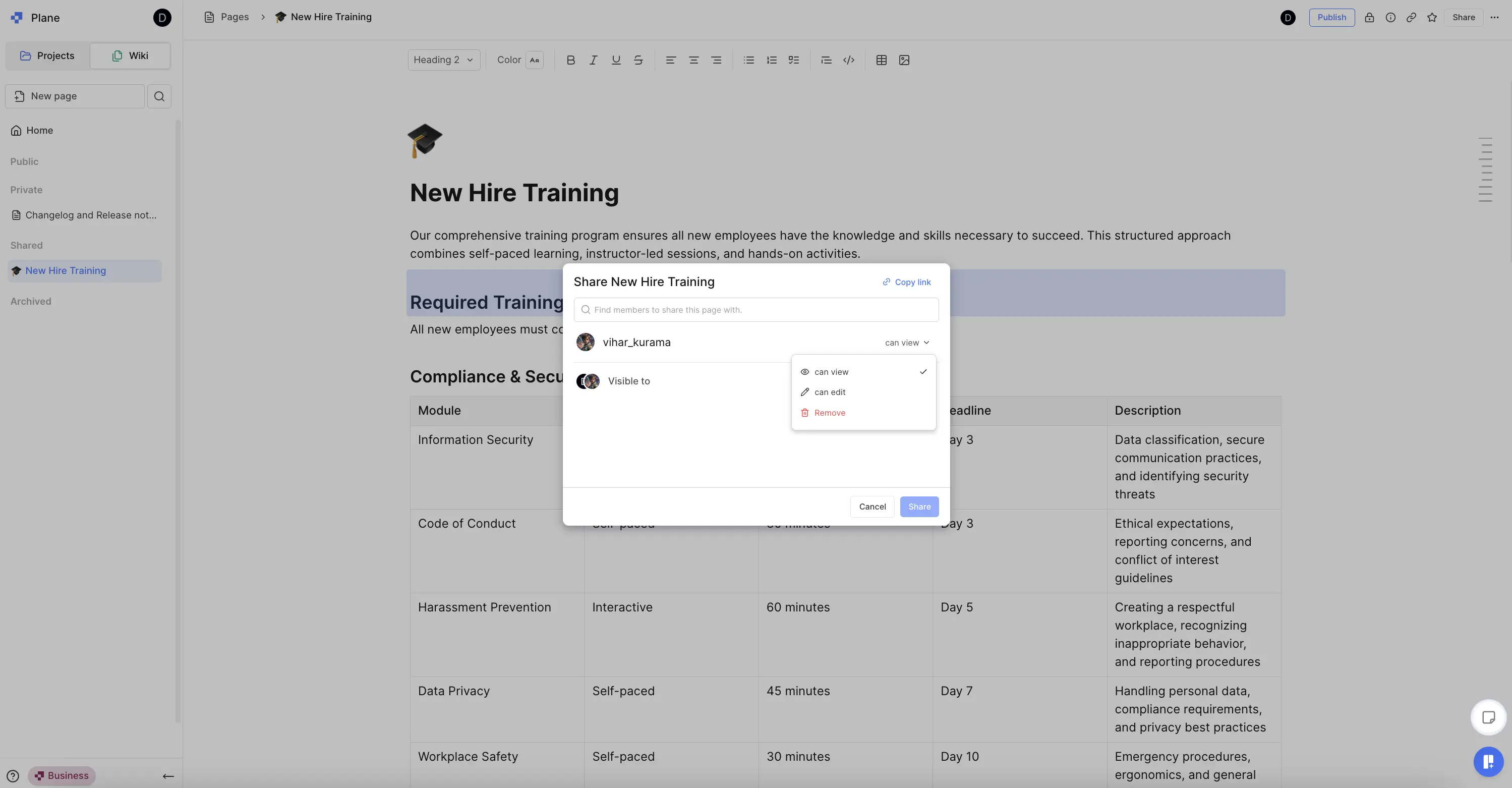
Share a private page
- Open any private page you've created.
- Click the Share button in the top-right corner.
- Search for and add the members you want to share with.
- Set permissions for each person:
- can view — the person can read the page but not edit it.
- can comment — the person can add comments on the page.
- can edit — the person can make changes to the page content.
- Click Share.
Shared pages appear in the Shared section of the recipient's Wiki sidebar.
Manage shared access
The page creator retains full control over sharing. To update access after sharing:
- Open the shared page and click Share.
- Click the dropdown next to a member's name to change their permission level.
- Select Remove to revoke their access entirely.